How QR code rewards work
From the code on your counter to a used reward at the register — the whole loop, with nothing for your customer to install.
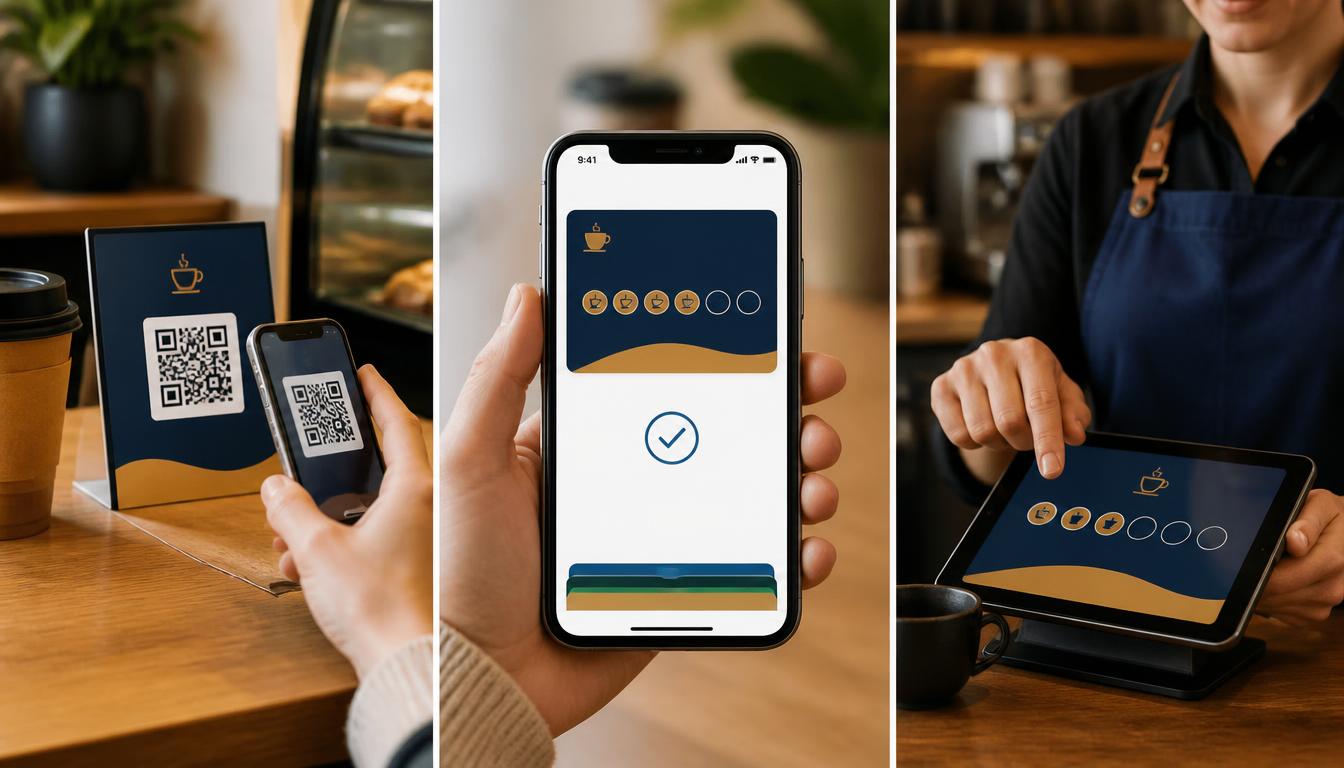
Scan the signup code
Counter card, table tent, sticker or link
Your customer points their camera at your code. The signup page opens in the browser — no app store, no password.
The card lands in their wallet
Apple Wallet & Google Wallet
One tap adds the pass. It carries your logo, colours, reward rules and a unique customer ID, and it updates itself from then on.
Earn on every visit
Works with the register you have
When they pay, your staff scan the wallet card from any phone or tablet, and a stamp, point or credit is added.
Use the reward
On the spot
When they earn the reward, the card updates. Your customer shows it at checkout. Your staff tap to use it, and the count starts over.
What you can send once the card is saved
- A note about a slow-night special or happy hour
- A birthday treat or a double-stamp day
- A reminder that an unused reward is waiting
- A note when they're a few minutes away
- A note to everyone who has the card, with no per-message text fee
At a glance
- No app download required
- Works on iPhone and Android
- Lock-screen messages included
- Scanner app on any phone or tablet
- Register connection optional
Common questions
Turn existing customers into more visits.
We'll show you your stamp card in Apple Wallet or Google Wallet in 20 minutes. No prep needed.