Free template · not legal advice
Salon no-show policy template
Copy one of the three policies, fill in the blanks, and post the same wording on your booking page, a front desk sign, and the confirmation text. Then send the announcement below so it isn't a surprise.
This is a template for your shop, not legal advice. Check your state rules, booking software terms, and how you store card details before you charge a fee.
Three short policies
Pick the one that matches how you already take payment. Fill every blank before you post it.
1. Deposit-based
No-show & late-cancel policy (deposit)

A deposit of $___ (or ___% of the service) is required to book. It is applied to your visit.

Please give at least ___ hours' notice to reschedule or cancel.

If you miss your appointment or cancel late, the deposit is kept. We'll gladly apply it if we can fill the time from our wait list — ask us.

New clients: the deposit is due when you book. Existing clients: we'll confirm the deposit before we hold a peak-time slot.
2. Card on file
No-show & late-cancel policy (card on file)

We keep a card on file to hold your appointment. You authorise a fee only if you miss the visit or cancel with less than ___ hours' notice.

Late cancel / no-show fee: $___ or ___% of the booked service.

We'll send a reminder before the window closes. If you need to move the time, reply to that reminder or call/text the salon.

We don't charge the fee if we can fill the chair, if you're ill and give us a heads-up, or if weather closes the shop.
3. Warning, then a fee
No-show & late-cancel policy (warning, then fee)

We ask for at least ___ hours' notice to cancel or reschedule.

• First late cancel or no-show in 6 months: a reminder of this policy. No fee.
• Second: a $___ fee (or ___% of the service) before we book the next visit.
• Third: prepay or a deposit is required to book.

Reminders go out by text, email, or a note on your digital loyalty card. If you didn't get one, the policy still applies — please save our number.
Tell clients, then remind them
Announcement text / email
Client text / email to announce the policy

Hi [name] — we're adding a simple late-cancel policy so we can keep your time held.

Please give us ___ hours' notice to move or cancel. [Paste one sentence from the policy you chose.]

We'll still send a reminder before that window. If you need to change a time, reply to this message.

Thanks for helping us keep the chair open for people who are waiting.

— [Your salon name]
Booking-confirmation reminder
Booking-confirmation reminder (text or email)

You're booked for [service] on [day] at [time].

Please give ___ hours' notice to reschedule. Late cancel / no-show: [deposit kept / $___ fee / warning then fee].

Reply YES to confirm, or tell us if you need a new time.

See you then — [Your name]
Where to post it
Where to post it (same wording everywhere)

1. Booking page — next to the confirm button, not in a PDF. Turn on the "I have read the late-cancel policy" checkbox if your software has one.
2. Confirmation text / email — the script above. One sentence for the window, one sentence for the fee.
3. Front desk sign — a printed card at check-in. New clients hear it once, in plain language, while they're still standing there.

Use the same hours and the same fee on your website. If Instagram says 24 hours and the booking page says 48, people will argue the shorter one.
Helpful free resources
Official help pages you can use this week, whether or not you ever book a demo. Each opens in a new tab.
- Square Appointments: cancellation and no-show policy (opens in a new tab)
Appointments → Settings → Payments & cancellations. Set a cut-off (one hour to two weeks), then choose no card, full prepay, or hold a card for no-shows. The policy shows in online booking and at the bottom of confirmation emails.
- Square Appointments: deposits (opens in a new tab)
On the same Payments & cancellations screen, choose Require a deposit — a fixed amount or a percent, on all services or selected ones. Clients pay it when they book online; you can add whether deposits are refundable in the policy they see at checkout.
- GlossGenius: cancellation policy (opens in a new tab)
Settings → Booking Controls → Online Booking Settings → Cancellations. Set the window, the fee percent, and require a card on file if you want to charge it. The policy text shows on the About page of your booking site.
- Vagaro: mark a no-show and charge a fee (opens in a new tab)
On the calendar, open the appointment → Change Status → No-Show. Enter the fee and charge the card on file. Vagaro’s own help notes a deposit at booking is safer than chasing a fee after the fact.
- Booksy: auto-charge cancellation fees (opens in a new tab)
Business Settings → Payments & Checkout → No-Show Protection → Cancellation Fees, then turn on “Charge Cancellation Fees automatically.” Mark the visit as a no-show the same day; Booksy charges at the end of the business day.
- Fresha: no-show and cancellation fees (opens in a new tab)
After the appointment start time, set status to No-show, tick the fee, and charge the deposit or saved card up to the policy the client already agreed to. You can only do this until the end of that day.
After the policy
A reminder before the window closes
A fee is the backstop. Empty chairs are often people who forgot. Send a reminder before the cancel window, and ask them to rebook before they leave the chair.
- 48 hours out: 'Still on for Thursday at 2? Reply YES or tell us if you need a new time.'
- The morning of: 'See you at 2 — parking is in the back.'
- Before they leave: book the next fill while the chair is still theirs.
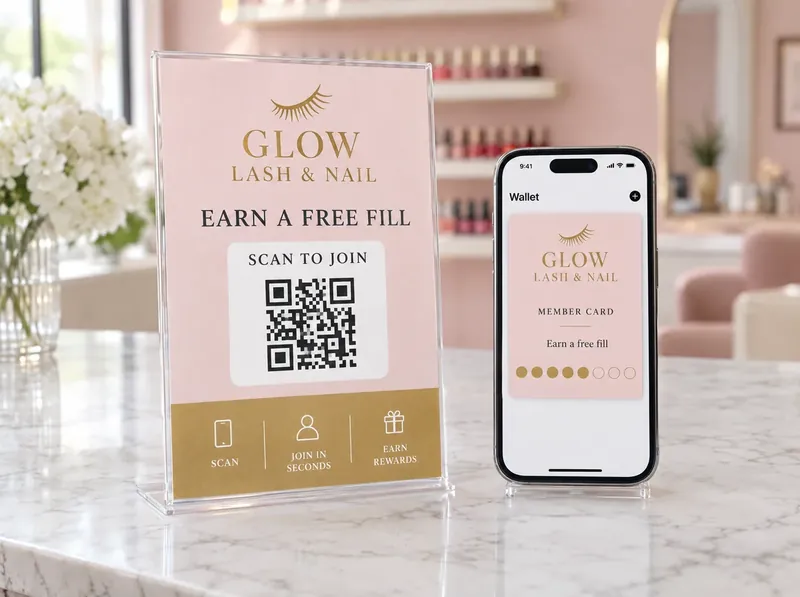
A digital loyalty card can put that reminder on the lock screen. Optional — the scripts above work as texts you already send.
Salon no-show policy FAQ
If you want the reminders on their phone
A digital loyalty card for the salon
Clients scan once. You can send a rebook note or a weekday opening without another text plan. Mike sets it up with you.
hello@2080loyalty.com · Call or text 540-268-0534
Guides